

TVApp Free Live TV Channels | Sports, News & Movies 2026
TVApp lets you watch live TV channels and sports online through a web browser. Access sports, news, entertainment, and more across supported devices.

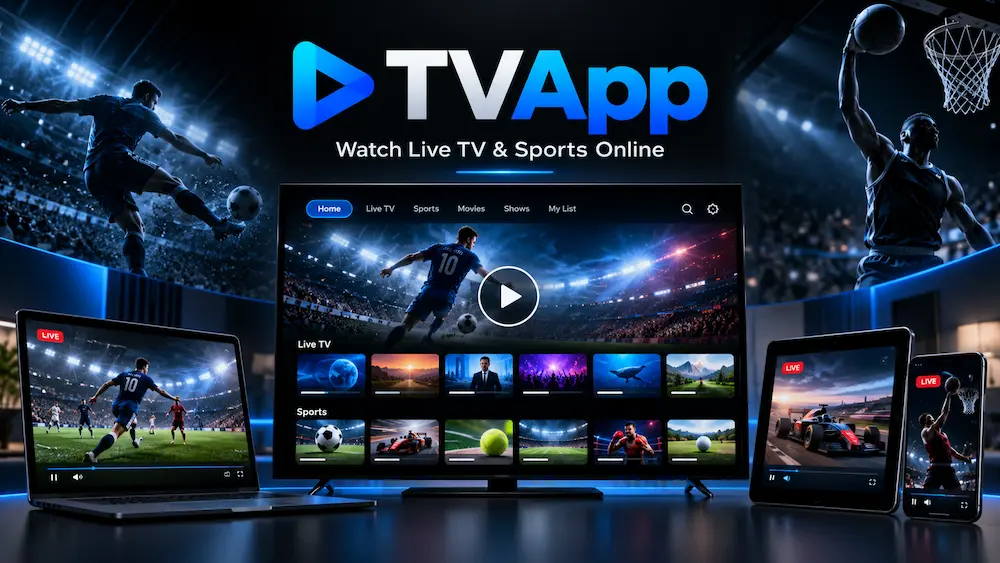
TVApp is an online streaming platform designed for users who want easy access to live television and sports through a web browser. It brings different types of content into one place, including sports, news, entertainment, movies, and local TV channels.
The platform mainly focuses on browser-based streaming. This means users can open the website on a phone, computer, tablet, or supported smart device without going through a complicated setup. Channel availability and streaming quality may vary depending on location, internet speed, and the source being used.
What is TVApp?
TVApp is a web-based service that provides access to live television channels and sports streams. Instead of installing different applications for every channel, users can browse available categories and select the content they want to watch.
The platform is especially useful for people interested in live sports. Depending on current availability, users may find basketball, football, baseball, hockey, soccer, combat sports, and motorsports.
Along with sports, The TV App may also provide access to news, entertainment, movie, kids, and general television categories.
Why People Use TVApp
One of the main reasons people use TVApp is its simple approach to online streaming. Users can open a browser, choose a category, and look for an available channel.
There is no need to switch between many separate websites just to find different types of live content. Sports and television categories are organized in one interface, making navigation easier.
Because it works through a browser, it can also be accessed from many different devices.
Main Features of TVApp
Live TV Channels
TVApp provides access to different live television categories. These can include news, entertainment, movies, sports, kids content, and local TV networks.
Available channels may change over time because online streams are not always permanent.
Live Sports Streaming
Sports are an important part of the platform. Users can browse ongoing or upcoming sporting events and select an available stream.
Different sports may appear depending on the current schedule and coverage.
Simple User Interface
The website is designed to keep navigation simple. Users can select their preferred category instead of searching through complicated menus.
A cleaner interface also makes the platform easier to use on smaller mobile screens.
Browser-Based Access
One useful feature of TVApp is that it works directly through compatible web browsers.
Users normally do not need an Android emulator when using it on a PC because the main service can be opened directly through a browser.
Multiple Device Support
The platform can be accessed through several types of devices, including:
- Android phones
- iPhone and iPad
- Windows computers
- Laptops
- Smart TVs with browsers
- Android TV devices
- Firestick
- Tablets
Actual compatibility can depend on the browser and device software.
Watch Live Sports on TVApp
Sports fans are one of the main audiences for TVApp Live Sports. The available sports can change according to live schedules, tournaments, and broadcasting availability.
NFL Live Streaming
American football fans may find live NFL events and related sports channels during the season.
NBA Live Streaming
Basketball viewers can check available streams for NBA games and other basketball competitions.
MLB Live Streaming
Baseball coverage may include MLB games and sports networks showing baseball events.
NHL Live Streaming
Hockey fans can browse available live channels during NHL fixtures and other hockey events.
Soccer Live Streaming
Soccer coverage can include domestic leagues, international competitions, and major tournaments when streams are available.
UFC, MMA and Boxing
Combat sports fans may also find UFC, MMA, and boxing events through supported sports channels.
WWE and Wrestling
Selected wrestling events and related programming may also appear on available channels.
Formula 1 and Motorsports
Motorsport viewers can check sports channels for Formula 1, MotoGP, and other racing events.
Popular TV Channel Categories
TVApp is not limited to sports. Different television categories can also be available.
Sports Channels
These channels mainly focus on live games, match coverage, analysis, and sports-related programs.
News Channels
News categories can provide access to local and international news networks.
Entertainment Channels
Users interested in general television may find entertainment-focused channels with shows, reality programs, and other content.
Movie Channels
Movie channels can offer scheduled films and related entertainment programming.
Kids Channels
Some available categories may include family-friendly and children’s television networks.
Local TV Channels
Local networks may also appear depending on the available source and region.
How to Watch Live TV on TVApp
Using TVApp is generally straightforward.
- Open a supported web browser.
- Visit the TVApp website.
- Choose Live TV or Sports.
- Browse the available categories.
- Select a channel or event.
- Open the player and start watching.
If a stream is unavailable, users can return to the category page and check another available option.
Download TVApp
If you want quick access to TVApp on your device, you can check our dedicated download page for Android, PC, Smart TV, Firestick, and other supported devices. Since TVApp mainly works through a web browser, the download page explains the safest access methods, device requirements, and how to avoid unofficial APK files. Visit the TVApp Download page to see the complete setup instructions for your device.
Android
Android users can access the service through a supported mobile browser.
Because the main platform is browser-based, users should be careful with websites offering unofficial APK files under the TVApp name. An unknown APK may not be connected to the actual web service.
Keeping the browser updated can also improve playback and security.
iPhone and iPad
iPhone and iPad users can open TVApp through browsers such as Safari or another compatible browser.
APK files do not work on iOS, so browser access is generally the more suitable method for Apple devices.
PC
TVApp for PC can be accessed through a modern Windows browser such as Chrome, Edge, or Firefox.
Because the main service runs online, users do not normally need an Android emulator just to access the website.
A PC can also provide a larger screen, which may be more comfortable for watching live sports and television.
Smart TV
Users with a Smart TV that includes a modern web browser may be able to open the service directly.
Another option is screen mirroring or casting from a supported phone or computer.
Performance can vary because some Smart TV browsers have limited video support.
Firestick
Firestick users may access TVApp through a compatible browser installed on the device.
If browser playback does not work correctly, screen casting from another device can also be considered.
Device software should remain updated for better compatibility.
Is TVApp Free?
TVApp is generally known as a free-access streaming website, but content availability can change.
Some channels or events may disappear, stop working, or become unavailable due to changes in their source.
Users should not assume that every channel will always remain available.
Does TVApp Require Registration?
Browser-based access may allow users to open streams without creating a traditional account.
However, website features can change over time, so users should always check the current version of the platform before entering personal information.
Avoid sharing unnecessary login, payment, or identity details with unknown third-party pages pretending to be the service.
Is TVApp Safe?
No online streaming website should automatically be treated as completely risk-free.
Users should check that they are visiting the correct website, keep their browser updated, and avoid downloading unknown files.
It is also a good idea to avoid suspicious pop-ups, fake update messages, and unofficial applications using similar names.
Is TVApp Legal?
Streaming laws and broadcasting rights are different in every country.
A television stream being available online does not automatically confirm that it has permission to distribute that content in every location.
Users should follow local copyright rules and use official broadcasters or licensed streaming services when required.
Why is TVApp Not Working?
A stream may stop working for several reasons.
Stream Buffering
Slow or unstable internet can cause frequent buffering.
Closing unnecessary apps or switching to a more stable network may help.
Channel Not Loading
Some channels can temporarily go offline.
In this situation, users can refresh the page or check another available channel.
Video Player Not Starting
Browser extensions, outdated software, or blocked scripts can affect video playback.
Trying another updated browser may solve the problem.
Website Loading Slowly
Heavy website traffic or temporary server problems can slow down the service.
Reloading the page after some time may help.
How to Fix TVApp Streaming Problems
Try these basic troubleshooting steps:
- Refresh the page.
- Check your internet connection.
- Restart the browser.
- Clear browser cache.
- Update the browser.
- Disable conflicting extensions.
- Try another supported browser.
- Restart your device.
- Select another available stream.
These steps will not fix every problem, but they can solve many common browser-related issues.
Pros and Cons of TVApp
Pros
- Simple browser access
- Live sports coverage
- Different TV categories
- Works on several devices
- No complicated installation for web access
- Easy navigation
Cons
- Channel availability can change
- Streams may sometimes buffer
- Some channels can temporarily stop working
- Performance depends on internet quality
- Regional restrictions may apply
Frequently Asked Questions
What is TVApp?
TVApp is a browser-based streaming platform that provides access to different live TV channels and sports streams.
Is TVApp free?
The platform is generally accessed without a traditional subscription, although content availability can change.
Can I watch live sports on TVApp?
Sports coverage may include football, basketball, baseball, hockey, soccer, boxing, MMA, wrestling, and motorsports depending on available streams.
Does TVApp have an APK?
The main service works through a web browser. Users should be careful with unofficial APK files using the same or similar name.
Can I use TVApp on Android?
Yes, Android users can access the web service through a compatible browser.
Can I watch TVApp on PC?
Yes. Windows users can open it through browsers such as Chrome, Edge, or Firefox.
Does TVApp work on Smart TV?
It may work on Smart TVs with compatible browsers. Casting or screen mirroring can also be used where supported.
Can I use TVApp on Firestick?
Firestick users may be able to access the service through a supported web browser.
Why is TVApp not working?
Internet problems, browser issues, unavailable channels, server problems, or temporary stream outages can cause playback issues.
Final Thoughts
TVApp offers a simple way to browse live television and sports content from a web browser. Its main advantage is easy access across multiple devices without requiring a complicated installation process.
Users can browse sports, news, entertainment, movie, and other television categories from one interface. However, individual channels and live streams can change or become unavailable at any time.
For a better experience, use an updated browser, maintain a stable internet connection, avoid unofficial downloads, and follow the streaming and copyright rules that apply in your region.
For browser-related playback issues, users can also check official Google Chrome Help documentation for troubleshooting steps.